In this blog, we’re diving into what’s new with Carbonite HyperMax version 12.0. First, we’ll look at how you can maximize utilization of your switcher investment with HyperMax Resource Pool, controlling multiple switchers from a single panel, and dynamically moving software functionality across systems and locations. Then, we’ll explore powerful features for large-scale productions—like MultiFeed outputs, split MEs, and custom control logic. Finally, we’ll highlight how you can fully tailor your control panel—from custom control attachments to error-proofing your workflow with panel lock.
In short, HyperMax V12.0 is all about bringing more control, more flexibility, and more power to the rock-solid Carbonite feature set!

Maximize Utilization with HyperMax Resource Pool
The HyperMax Resource Pool is the culmination of our past year of development since HyperMax’s launch at NAB 2025. By combining multiple production switcher instances within one engine, enabling dynamic control from a single panel, and flexibly managing software across diverse hardware, it transforms how organizations utilize their switcher resources across the entire operation.
Drive Multiple Switchers Within a Single Frame
With HyperMax, you can craft exactly the switcher you need inside an Ultrix FR5 or FR12 frame using SDPE blades. Each blade can be configured as MaxME for a full ME, MaxMini for multiple MiniMEs, or MaxScene for layered scene resources. But beyond building a custom switcher, HyperMax lets you run multiple independent switcher instances in the same frame. You might create a HyperMax 1 with a 4-ME setup, a HyperMax 2 mixing 1 MEs and 6 MiniMEs, and a HyperMax 3 blending MEs, MiniMEs, and scene layers. In short, you’re driving multiple switchers from one frame, giving you more production power, all in one place.
Control Multiple Switchers with a Single Panel
With the latest update, a single TouchDrive panel can now access and control specific ME and MiniME resources across up to four production switchers simultaneously. Once connected, a technical director can examine the resources of any switcher from the TouchDrive panel and map it to any row. This revolutionary workflow gives production teams centralized access to local and remote resources on any Carbonite:
- Carbonite HyperMax
- Ultrix Carbonite
- Ultrix Mosaic
- Carbonite Ultra 60
- Carbonite Ultra
- Carbonite Ultra Solo
- Carbonite Ultra Mosaic
That means more flexible remote workflows, easier multi-system operation, and eliminating the need for separate panels per switcher. Whether you’re linking your studio sports broadcast to a REMI truck on-site at a game, hooking into a remote studio feed, or even integrating with a cloud-based production, you have the flexibility. From one panel, you can control multiple switchers at once, accessing the exact resources you need in real time.
Manage Multiple Facilities with a Single Platform Manager
With enhanced Ross Platform Manager integration, you can manage licenses and switcher configurations centrally from a single, secure, browser-based platform.
- License Pooling: RPM helps facilities get more value from their HyperMax investment by enabling shared license pools for advanced features such as MaxME, MaxMini, and MaxScene across SDPE blades. Instead of provisioning software for the grand sum of all productions, teams can activate the tools they need where they need them to cover peak usage, dynamically deploying licenses as needed.
- Switcher Set Snapshots: Save and recall complete configuration snapshots, including file sets and switcher layouts. You can seamlessly shift from a large HyperMax setup for a sports broadcast to a multi-instance talk show configuration, all in moments. Operators and engineers can save complete switcher configuration snapshots and instantly recall them, making it faster to move between shows, restore proven setups, or recover complex configurations with confidence.
- Blade Mode Switching: Reconfigure SDPE blades between HyperMax modes or standalone Ultrix Carbonite switchers. Deploy combinations of HyperMax instances and fully self-contained switchers, across all hardware engines in your organization.
The result is a production platform that is not only powerful, but easier to standardize, secure, scale, and adapt from one production to the next. With RPM and HyperMax working in tandem, managing switcher resources across your organization has never been easier.
Agile Production for Today’s Hybrid Workflows.
With the Resource Pool workflow, local productions can seamlessly incorporate remote studios, REMI camera trucks, event flight packs, or even virtual and cloud-based systems for disaster recovery and temporary expansion. Whether you are scaling up for a complex live event, adding remote contribution points, or building in extra resiliency, Carbonite HyperMax gives teams the freedom to pool resources, extend production capability, and deliver more ambitious shows with greater flexibility.

Flagship Switcher Features for Large-Scale Productions
Historically, Carbonite was Ross Video’s mid-tier switcher, while Acuity led the way in large-scale productions. Now, with HyperMax, we’re delivering big-league switcher capabilities within the Carbonite user experience embraced by thousands of operators around the world.
MultiFeed Outputs and Split MEs
Create more feeds within a single ME. Carbonite HyperMax’s MultiFeed capability offers four fully programmable outputs per ME, with precise control over which keyers and transitions appear on each output—whether fully loaded or true clean feeds. Beyond that, MultiFeed’s split ME function lets you operate distinct A and B programs within the same ME, allowing a single HyperMax system with up to 8 MEs to provide a 16 ME split feed workflow.
For today’s live productions, that flexibility matters. Broadcasters, venues, sports teams, houses of worship, corporate events, and streaming productions increasingly need multiple versions of the same show: program and clean feeds, broadcast and in-room displays, alternate language outputs, social or digital feeds, and specialized screen content. MultiFeed makes it easier to build and manage those deliverables within each of HyperMax’s powerful ME resources.
Custom Control Logic with User Variables
With Custom Control Logic and user variables, Carbonite HyperMax gives operators the ability to build more intelligent, context-aware automation into their production workflows. Instead of creating separate Custom Controls for every possible show condition, teams can use IF, ELSE, ELSE IF logic to drive different outcomes based on the needs of the moment — such as triggering different MediaWipes depending on the replay channel you put in preview, or changing which XPression channel + graphic is recalled depending on which keyers are active on an ME.
User Variables elevate custom control logic by integrating external data directly into your switcher behavior. For instance, the same sports data driving your graphics could simultaneously dictate the media or transitions in your switcher.
Combining CC Logic and User Variables results in cleaner show programming, fewer duplicated macros, faster setup, and more reliable execution when the pressure is on.
Custom Control Attachments
Custom control attachments let you directly map custom controls to any button on your TouchDrive panel. For example, you can link a graphic recall directly to a camera cut or prepare a media wipe when selecting a replay channel. The attachment mapping interface is intuitive, making it effortless to assign custom controls exactly where you need them.
Tailor Control with Total Panel Programmability
Map Any Function to Any Panel Button
With HyperMax V12.0, every button on the TouchDrive panel is now fully reassignable. If you don’t need the memory keypad for recall, for example, you can reprogram those keys to instantly cut cameras or trigger other functions. Through the interface, you assign any button a new function—be it source selection, a custom macro, or even a workflow shortcut. Essentially, you have the power to tailor the panel layout to however is most comfortable for live operation.
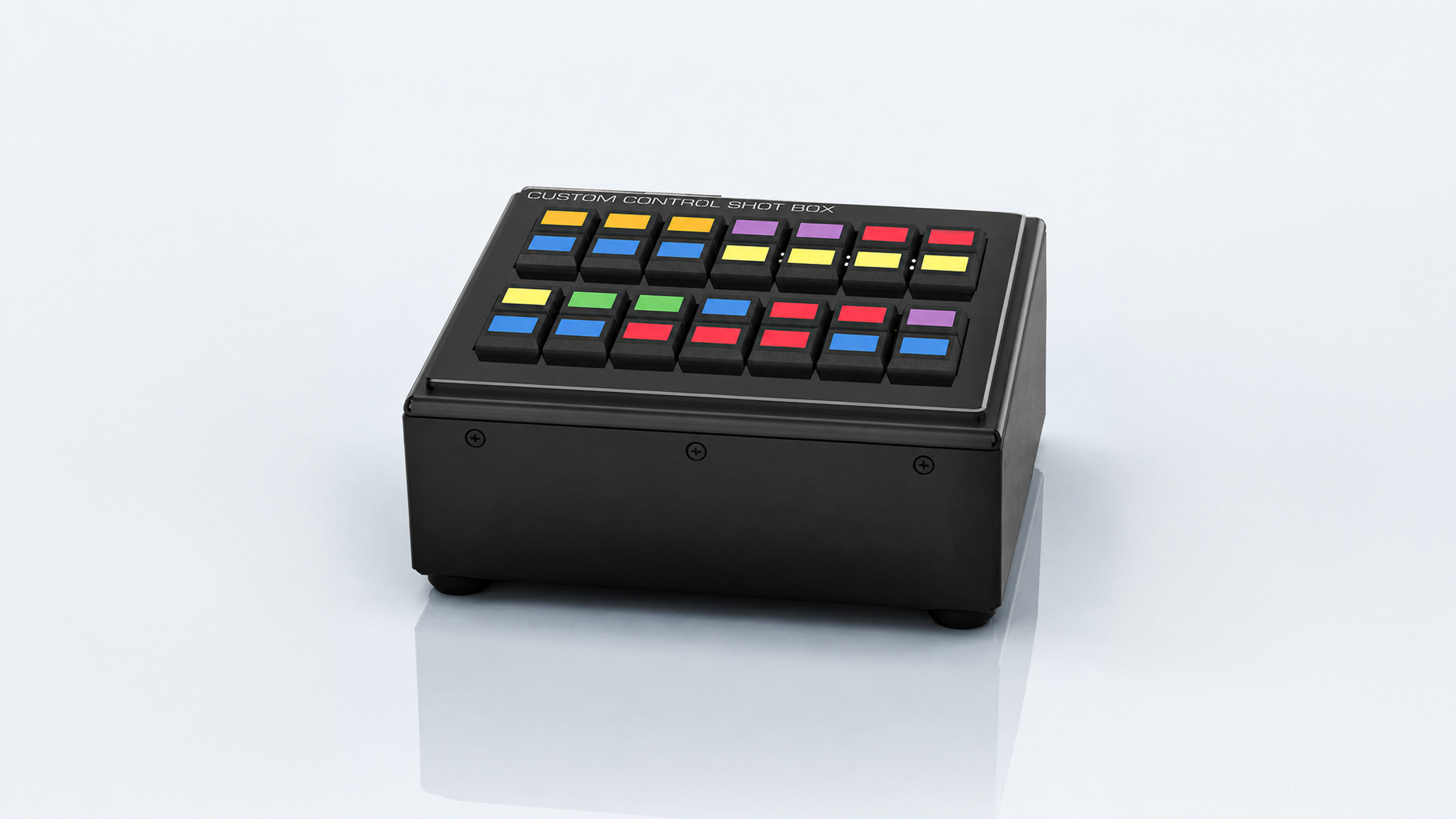
Extend Switcher Control with the Sideshot-NG Shotbox
Carbonite HyperMax now supports direct assignment of switcher functions to the SideShot-NG shotbox module, giving teams a flexible way to extend dedicated, tactile switcher control beyond the main production panel. With a compact bank of user-configurable buttons, operators can trigger custom controls, memory recalls, device actions, and key production functions from additional positions across the control room, venue, truck, or remote workflow.
Error-Proof Shows with Panel Lock
With panel button locking, Carbonite HyperMax helps operators avoid accidental actions during mission-critical live productions. Teams can lock specific controls that should not be triggered during a show, protecting program/preview, keyers, transitions, memories, and custom functions from unintended operation.
It’s a simple feature with a big operational impact: fewer mistakes, cleaner workflows, and greater confidence for productions where every button press matters. Whether it’s locking out functions that aren’t on-brand with your show, or volunteer-proofing your panel for church production – button locking helps keep switcher control focused, intentional, and show-safe.